
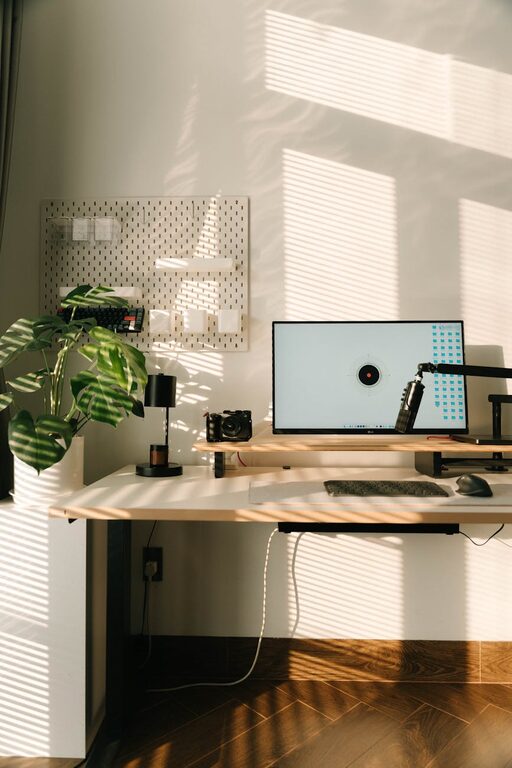
Creating a cozy and functional home workspace is essential for anyone who spends significant time working remotely. A well-designed workspace not only boosts productivity but also helps maintain comfort and reduces stress. Whether you have a dedicated room or just a small corner, you can make your home office both inviting and efficient. Here are some practical tips to help you create the perfect home workspace.
Choose the Right Location
The first step is selecting a spot that fits your daily needs.
– Natural Light Matters: Position your desk near a window if possible. Natural light improves mood and reduces eye strain.
– Minimize Distractions: Pick an area away from television, noisy appliances, or heavy foot traffic.
– Consider Privacy: If you share your home, aim for a quiet zone where you can focus without interruptions.
– Space for Movement: Ensure there’s enough room to move around comfortably.
Invest in Comfortable Seating
Your chair is key to comfort, especially during long work hours.
– Ergonomic Chairs: Look for chairs with adjustable height, lumbar support, and good cushioning.
– Add Cushions: If your chair is hard, a supportive cushion can add comfort.
– Footrests: If your feet don’t reach the floor comfortably, a footrest can prevent strain.
Optimize Your Desk Setup
A well-organized desk helps maintain efficiency and reduces clutter.
– Choose the Right Desk Size: It should fit your laptop, monitor, and essential supplies without feeling cramped.
– Cable Management: Use clips, sleeves, or under-desk trays to keep cables tidy.
– Desk Organizers: Use trays, holders, or small containers to keep pens, papers, and accessories organized.
– Monitor Placement: Place screens at eye level to prevent neck and eye strain.
Create Good Lighting
Lighting plays a big role in comfort and productivity.
– Layered Lighting: Combine natural light with overhead lights and a desk lamp.
– Adjustable Desk Lamps: Choose lamps that allow you to direct light where needed.
– Avoid Glare: Position monitors and lights to reduce glare and reflections.
Personalize Your Space
Adding personal touches can make your workspace feel inviting.
– Incorporate Plants: Small plants or succulents add life and improve air quality.
– Artwork and Photos: Display inspiring images or personal photos to keep motivation high.
– Decorative Items: Use calming colors and simple decor that enhance your mood without distracting.
Keep It Organized and Clutter-Free
A cluttered workspace can impact focus.
– Regular Decluttering: Schedule weekly cleanups to keep the area tidy.
– Storage Solutions: Use shelves, drawers, or baskets to keep items off your desk.
– Digital Organization: Don’t forget to organize your computer files and emails as well.
Add Functional Accessories
The right tools can simplify work and add convenience.
– Whiteboard or Corkboard: For jotting down tasks or pinning important notes.
– Noise-Canceling Headphones: Useful if you work in a noisy environment.
– Wireless Devices: Reduce cable clutter with wireless keyboards, mice, and chargers.
Incorporate Break Space
Taking breaks is crucial for long hours.
– Comfortable Seating Nearby: Place a cozy chair or small sofa for short breaks.
– Relaxation Items: A small shelf with a book, a diffuser with calming scents, or a speaker for soft music can enhance breaks.
Maintain Ergonomics
Good ergonomics prevent strain and injury.
– Proper Posture: Sit with feet flat, back supported, and wrists neutral.
– Take Breaks: Stand up, stretch, and move every hour.
– Keyboard and Mouse Position: Keep them at a height that allows relaxed arms.
Final Thoughts
Building a cozy and functional home workspace is all about balancing comfort and practicality. By choosing the right location, investing in quality furniture, optimizing your setup, and personalizing the environment, you can create a space that supports both your work and well-being. Remember that small changes can have a big impact, so start with a few tips today and adjust your space as needed. Working from home can be a rewarding experience with a workspace designed just for you.